Importing results from ConnectFlow
After completing the fracture modeling process in the ConnectFlow™ software, you can import the results back to JewelSuite Subsurface Modeling.The fracture model from ConnectFlow is exported as a Discrete Fracture Network (DFN) model. DFN model characterizes the properties of the fracture network in the reservoirs such as fracture porosity, fracture permeability, fracture thickness, type, etc.
The DFN model is saved in .ifz format and the fractures are defined in rectangular shape as a combination of two tri-meshes. The fracture properties are listed for individual fractures, see the image below showing an example data set of a DFN file.
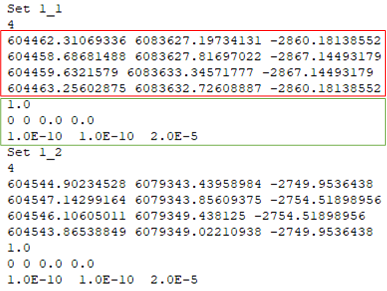
An example data set of the DFN model exported from ConnectFlow. The tri-mesh locations are shown in the red box while the fracture network properties are shown in the green box. The meta data at the start of the text file lists the properties that are imported. click to enlarge
To import the DFN model
- On the form, select the fracture Model, that was exported to ConnectFlow for analysis, from the drop down list.
- Locate the unfaulted 3D Grid, that was exported in RESCUE format, using the ellipsis
 button. The unfaulted grid must be generated from the selected fracture model in the workflow. Important While importing the DFN model, the upscaled fracture properties are directly mapped to the source 3D grid associated with the selected fracture model.
 - Locate the DFN model, that was exported from ConnectFlow software, using the ellipsis button. The DFN model can also be imported without assigning the unfaulted 3D grid in the previous step. In such cases, only the DFN model is imported to your solution and the properties are not mapped to your source 3D grid.
- Click Apply or OK to import the DFN model in the solution and close the form. The discrete fracture network model is stored in the Fractures folder under the Imports section in the JewelExplorer. The characterized fracture network properties generated from the DFN model are stored under the Properties folder of the source 3D grid associated with the fracture model.
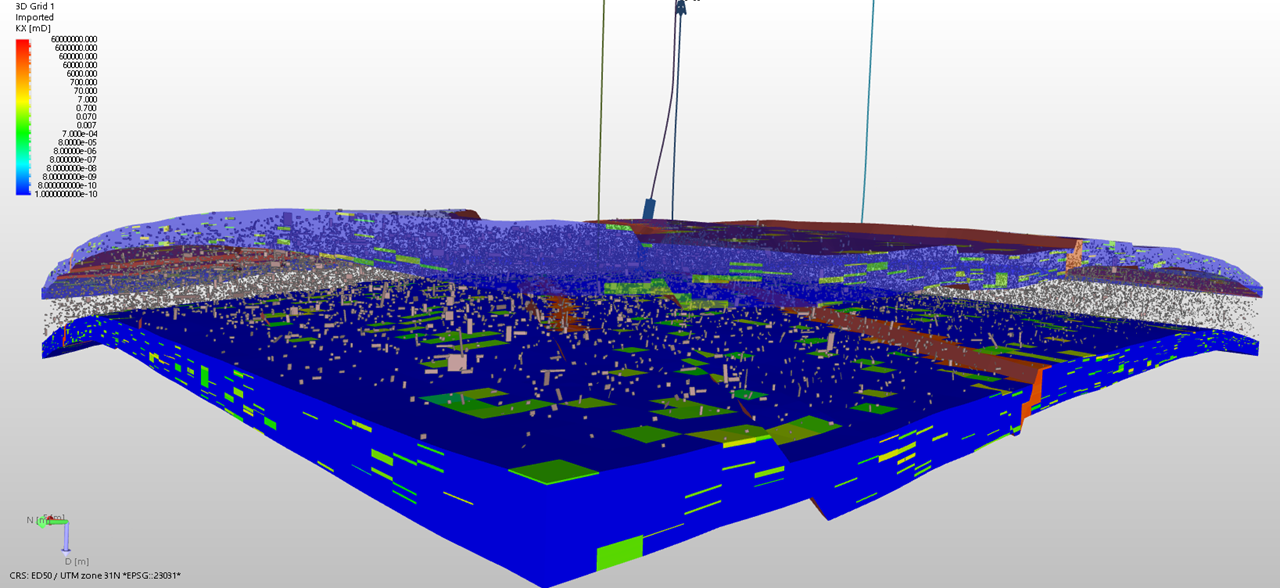
3D View showing the imported DFN model along with the characterized fracture permeability. click to enlarge
You can upscale the characterized fracture properties in ConnectFlow and map them onto the exported unfaulted grid. Later, you can directly import the 3D grid and the upscaled grid properties in RESCUE format.
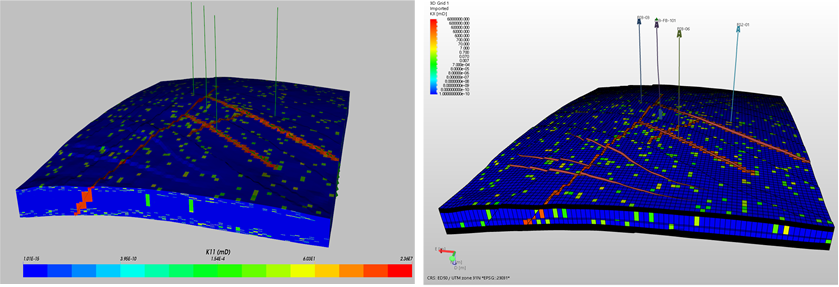
Example data set showing the upscaled 3D grid property (permeability) on the left side and the resulting 3D grid property on right side after importing in JewelSuite Subsurface Modeling. click to enlarge